

 Nook Stop Guide in Animal Crossing: New Horizons
Nook Stop is a multifunctional service terminal in Animal Crossing: New Horizons. It is located inside the Resident Services building, always positioned on the right-hand side of the room, whether Resident Services is still a tent or has been upgraded into a permanent building.
Once Resident Services is available, players can access Nook Stop to redeem Nook Miles, use Nook Shopping, manage Bells through the ABD, and handle various island-related services.
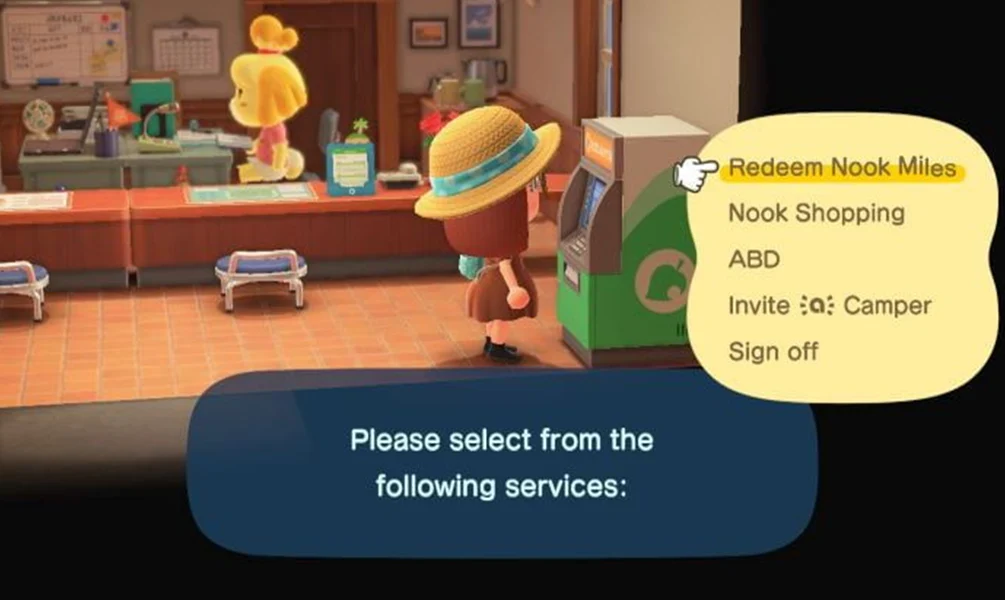
Earning and Redeeming Nook Miles
Nook Stop offers both earning and redeeming Nook Miles services. By checking in at the Nook Stop every day, players can receive bonus Nook Miles through the Nook Miles+ streak system:
- Day 1: 50 Miles
- Day 2: 100 Miles
- Day 3: 150 Miles
- Day 4: 200 Miles
- Day 5: 250 Miles
- Day 6: 300 Miles
- Day 7: 300 Miles
The reward cycle resets every 7 days, allowing players to earn up to 1,350 Nook Miles per cycle.
Players can toggle the L and R buttons to browse redeemable rewards such as special items, DIY recipes, Nook Miles Tickets, and limited-time promotional items, then follow the on-screen prompts to redeem what they need.
Nook Shopping Functionality
Nook Stop also provides access to Nook Shopping, which shares the same catalog as the Nook Shopping app on the NookPhone.
Through Nook Shopping, players can:
- View daily special items
- Browse a catalog of acquired furniture
- Browse acquired clothing items
- Browse wallpapers and flooring
- Search items using keywords
The catalog clearly indicates whether an item is available for purchase or not for sale. Players can switch pages using the L and R buttons to explore the complete Animal Crossing item directory.
Items Not for Sale at Nook Stop
Items marked as not for sale will not display a price and cannot be ordered directly from the catalog.
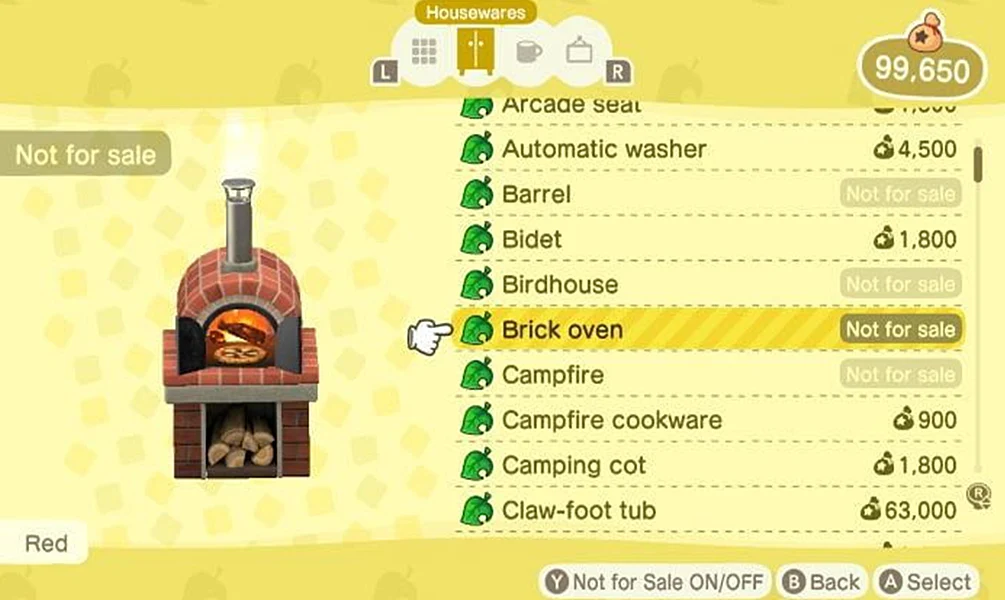
These items usually come from:
- Seasonal events
- NPC interactions
- DIY crafting
- Special promotions or collaborations
Even though these items cannot be purchased, they will still appear in the catalog once obtained. This design preserves the relaxed and discovery-driven gameplay experience of Animal Crossing, encouraging players to explore island activities rather than purchasing everything directly.
Notes on Ordering and Catalog Updates
When using Nook Shopping:
- Players can order up to 5 items per day
- Available items rotate daily
- Certain items are only available during specific dates, seasons, or events
To obtain non-sale items, players need to participate in island events, complete tasks, or plan ahead for limited-time releases.
ABD (Automatic Bell Dispenser) Services
Nook Stop also includes ABD services, allowing players to:
- Deposit Bells
- Withdraw Bells
- View their current Bell balance
- Pay off home loans
The displayed Bell balance reflects the player’s progress and financial status within the game.
For players who want to save time, platforms like ACItemsBuy.com provide optional services related to Animal Crossing items, Bells, and Nook Miles Tickets, allowing players to focus more on island design and creativity.
Resident Services and Island Restrictions
Each island has its own Nook Stop located in Resident Services. However, when visiting mystery islands using Nook Miles Tickets, players cannot access Nook Stop or Nook Shopping services on those islands.
Nook Miles Tickets are redeemed using Nook Miles and are used exclusively for flights via the airport. During Mystery Island Tours, players can:
- Encounter new villagers (if open housing plots are available)
- Collect island materials and resources
Items available through Nook Shopping change every day. Once an item has been purchased or obtained, it will remain permanently registered in the player’s catalog.

