

 How to Use Slumber Islands | Animal Crossing: New Horizons Guide
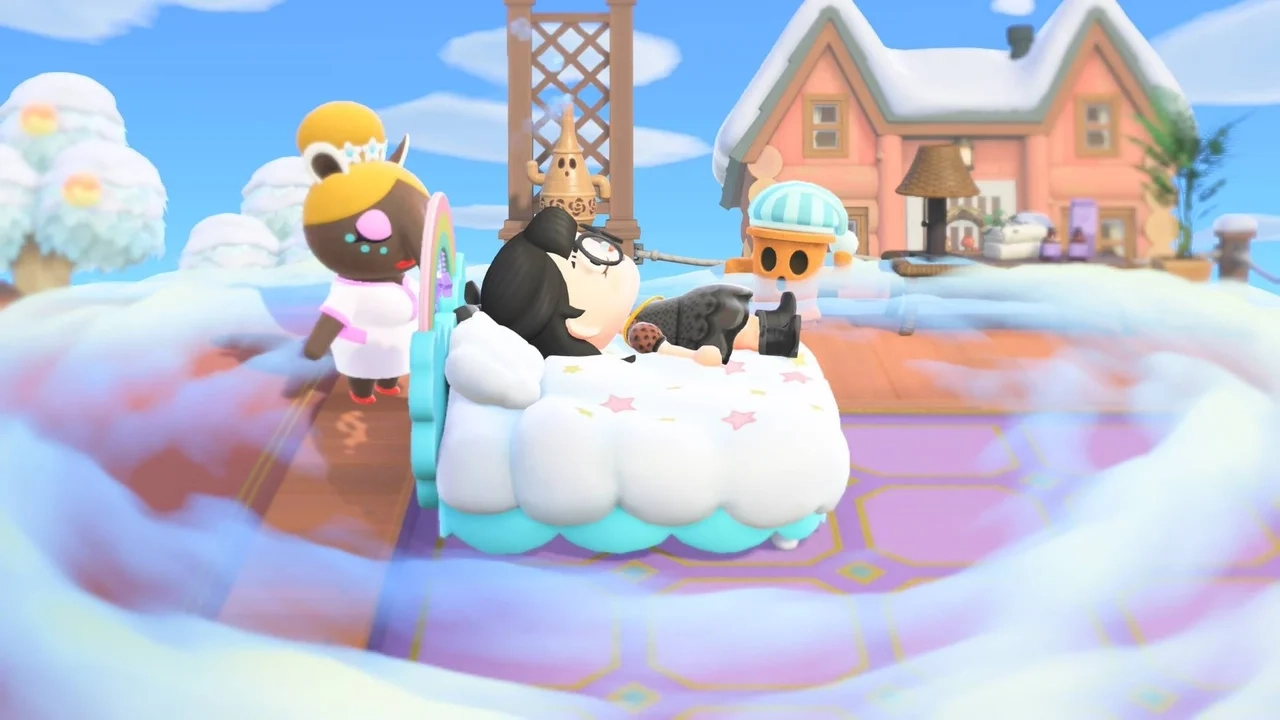
One of the biggest additions in the Animal Crossing: New Horizons 3.0 update is Slumber Islands — a new sandbox-style mode that lets you design and decorate islands without resource limits or progression rules.
Whether you want to build dream homes, experiment with layouts, or collaborate with friends, this feature gives you the creative freedom your home island can't offer.
This guide walks you through how to unlock Slumber Islands, customize your dream space, and play with others.
Quick Answer — Slumber Islands Basics
- Unlock Slumber Islands – Update to 3.0, have Nintendo Switch Online, and receive Luna's invitation.
- Create up to 3 islands – Small, Medium, or Large sizes with customizable layouts.
- Decorate freely – Use any cataloged items, terraforming tools, and resident placements.
- Play with friends – Co-op sessions (up to 12 players on Switch 2, 8 on original models).
How to Access Slumber Islands
Before you can start designing, you'll need to meet a few requirements to unlock the feature.
Requirements
-
Update to Version 3.0 – Check your main menu version number.
-
Nintendo Switch Online Subscription – Required (online-only mode).
-
Receive Luna's Invitation – New and returning players must trigger this first.
Step-by-Step Unlock Process
If you haven't met Luna before:
-
Progress in the game until you upgrade your tent to a house.
-
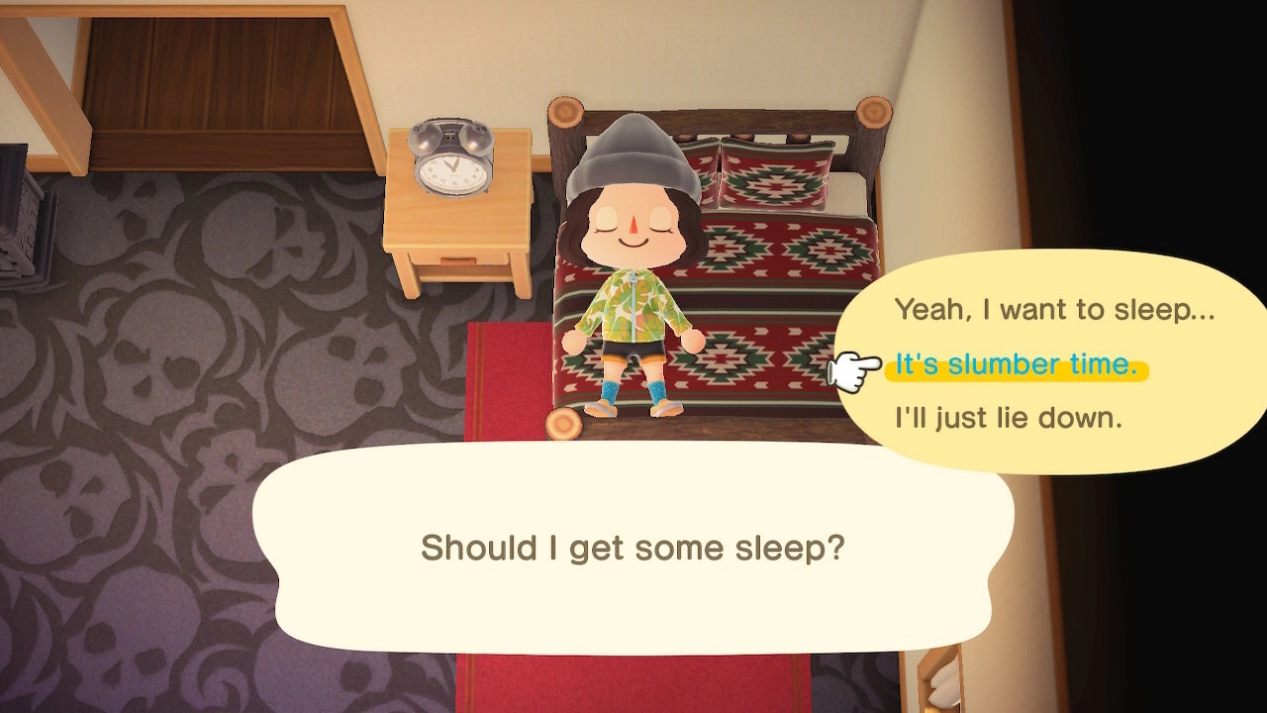
Place a bed in your home and lie down to sleep.
-
Choose the "I'd like to share a dream" option when Luna appears. This uploads your home island to her dream library and generates a unique dream code.
-
Wake up the next day — you'll receive a letter from Luna in your mailbox inviting you to Slumber Islands.
-
Now, when you sleep, you'll see a new option: "It's slumber time." Select this to enter Slumber Islands.
Slumber Islands Explained
Slumber Islands is like a "Creative Mode" for Animal Crossing. Unlike your home island, there are no resource costs, no crafting requirements, and no permanent consequences. You can design freely without worrying about materials, time, or even your home island's layout.
Key Features
-
No progression rules: No need to unlock terraforming, bridges, or inclines — they're all available from the start.
-
Unlimited items: Use any furniture, plants, or decor from your catalog, with no crafting costs or quantity limits.
-
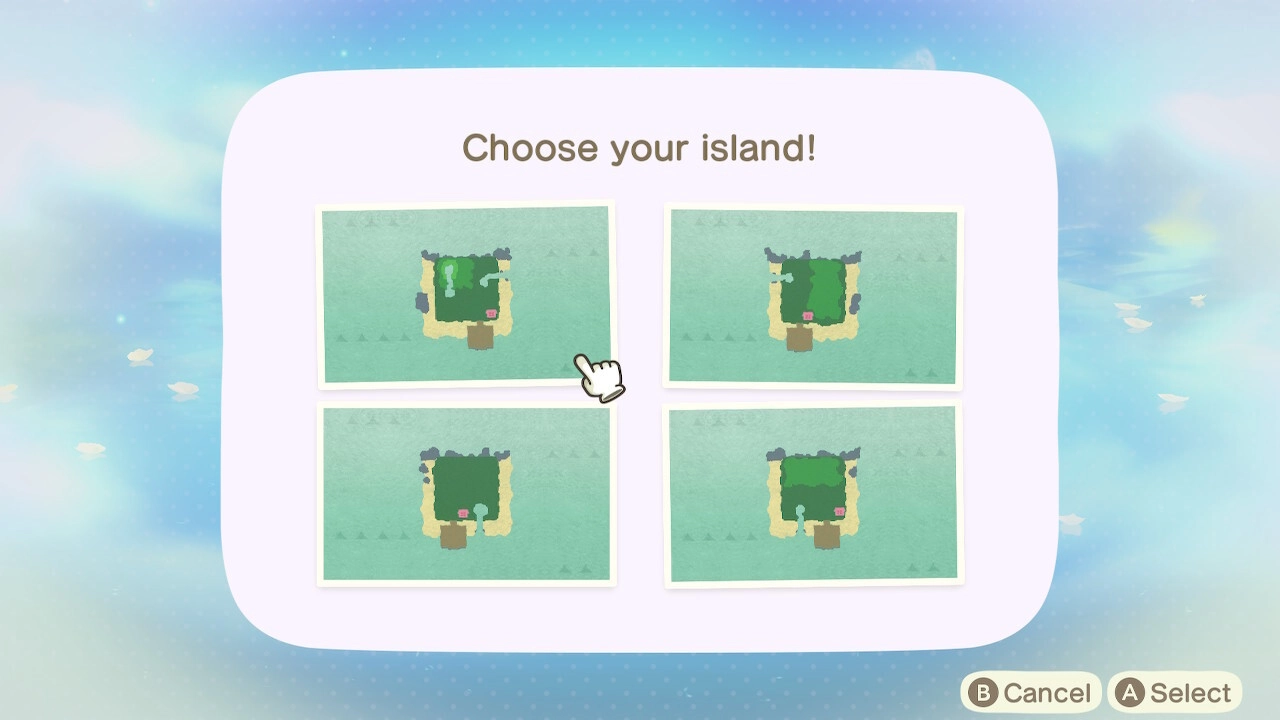
Flexible layouts: Choose from pre-made maps, including riverless and fully flat options.
-
Co-op design: Build with friends in shared sessions.
Island Sizes & Layouts
You can create up to 3 Slumber Islands, each with a different size and layout:
-
Small: Roughly the size of Mystery Tour islands.
-
Medium: Larger than Mystery Tour islands but smaller than your home island.
-
Large: Close in size to your home island.
When creating a new island, you can also pick from various layouts, including those with rivers, cliffs, or fully flat terrain. If you reach the 3-island limit and want to start over, you can delete existing islands at any time.
Naming Your Slumber Island
Luna will ask you to name your island when you first create it — but there's no pressure to decide right away. You can always come back later and rename your island by speaking to Luna again. This is perfect if you want to brainstorm ideas with friends before settling on the perfect name.
Decorating Your Slumber Island
The best part of Slumber Islands is the freedom to design. Here's what you can do:
Full Customization Tools
-
Place any cataloged items: Use furniture, plants, and decor you've already added to your Nook Shopping catalog, with no limits on quantity or cost.
-
Terraform freely: Add or remove cliffs, rivers, and waterfalls.
-
Move and redesign your house: Place your house anywhere, resize it, or rearrange rooms.
-
Build bridges and inclines: Talk to Lloid to add or remove them instantly.
-
Change time and weather: Press Left on the D-pad to adjust the time of day and weather.
-
Change your appearance: Use the dock wardrobe to switch outfits freely.
Keep in mind that Slumber Islands only gives you access to items you've already cataloged on your home island. If you're missing rare furniture, seasonal decor, or specific villagers to test your dream layout, you can complete your catalog faster through our ACNH item shop.
Important Note: No Permanent Changes
Since Slumber Islands exist in a dream world, nothing you do here will carry over to your home island:
-
Your appearance changes won't save.
-
Items you place or "harvest" won't transfer to your inventory.
-
Residents you add won't move to your home island.
Adding Residents to Your Slumber Island
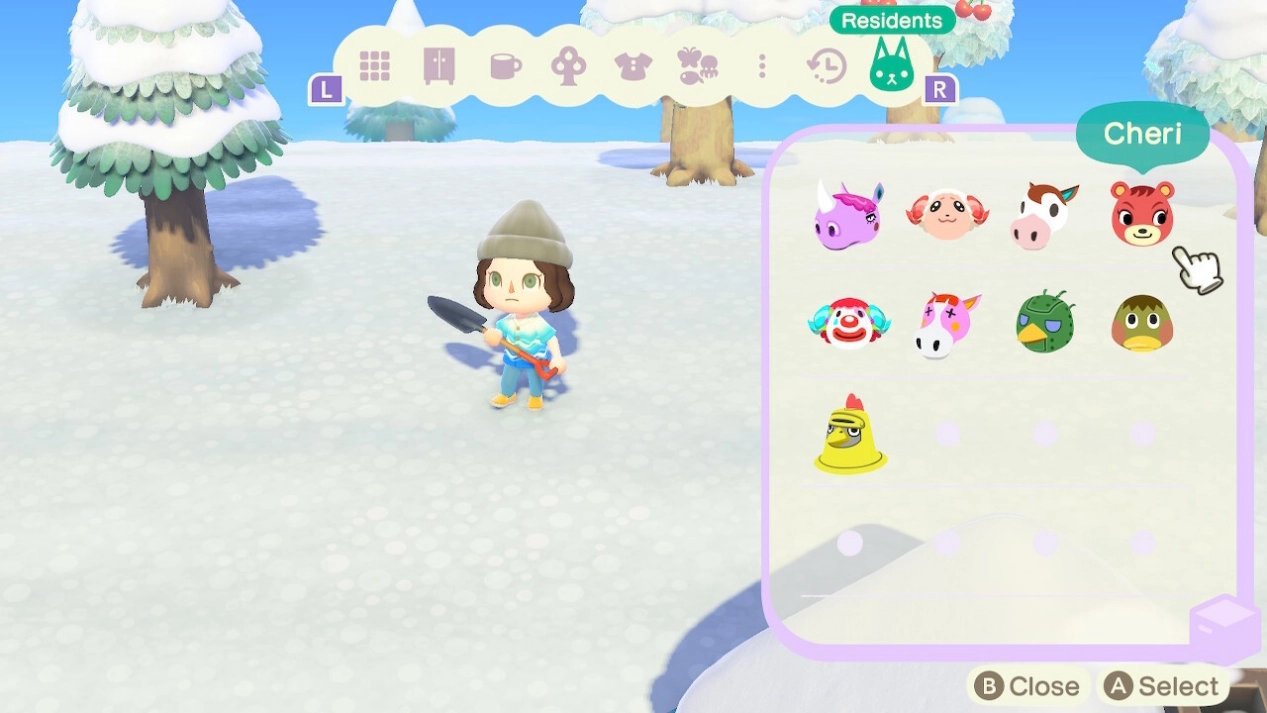
You can add any residents from your home island to your Slumber Island. To do this:
-
Open the Residents tab in your inventory menu on the Slumber Island.
-
Select the residents you want to place.
-
Drop them anywhere on the island. You can also remove them at any time.
This is a great way to test different island setups or see how your villagers would look in a new layout without moving them permanently.
Looking for specific villagers to add? Check out our villager and amiibo collection to expand your options.
Playing With Friends
Slumber Islands is fully cooperative, so you can team up with friends to design together.
Requirements for Co-op
-
All players need an active Nintendo Switch Online subscription.
-
The host must invite friends using their friend codes.
Player Limits
-
Switch 2 Edition: Up to 12 players per session.
-
Original Switch / Switch Lite / Switch OLED: Up to 8 players per session.
Co-op is perfect for group projects, like designing a shared theme park, recreating a movie set, or just brainstorming ideas together.
Final Thoughts
Slumber Islands is more than just a new mode — it's a playground for your creativity. Whether you're a casual decorator or a serious designer, the freedom to build without limits opens up endless possibilities. With these tools, you can experiment with layouts, test ideas, and collaborate with friends without the pressure of your home island's progression rules.
Ready to start designing? Grab your Switch, update the game, and let Luna show you the dream island of your imagination.

