

 ACNH 3.0 Slumber Islands Explained: Features, Multiplayer & Design Tips
What are Slumber Islands
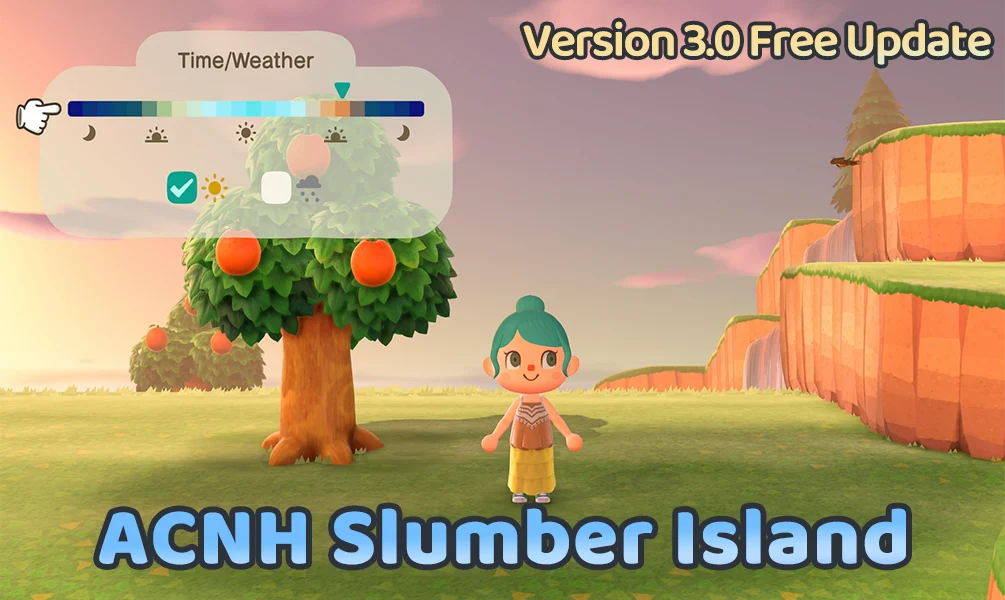
Slumber Islands are a new feature introduced in ACNH version 3.0. They are official creative islands where players can freely design terrain, place furniture, choose the time of the day and the type of weather, and invite friends for real-time multiplayer collaboration.
Slumber Islands are different from Dreaming, which only allows players to visit static Dream Islands via a Dream Address.
How to Access Slumber Islands
1.Lie down on your bed and select Visit a Slumber Island. Luna, the official guide, will help you enter the island.
2.Choose your island size and initial layout (Small / Medium / Large).
3.You will wake up on the island near the entrance pier, where Luna greets you.
4.Nintendo Switch Online membership is required for multiplayer access.
5.Each player can create up to three independent Slumber Islands.
Core Features
- Place furniture and items freely: Use the catalog directly, no need to retrieve from storage.
- Adjust terrain and structures: Dig rivers, build bridges, and create slopes to design your island layout.
- Set weather and time: Customize a suitable environment to create unique themed islands.
- Plant trees and flowers: Choose placement and growth stages for maximum design flexibility.
Multiplayer Collaboration
- Invite friends to your Slumber Island to build and decorate together in real-time.
- Switch 2 version supports multiple players online (up to 12).
- Slumber Islands are independent and do not affect your main island.
Note: Slumber Islands cannot be accessed via Dream Address; players must be online and invited by the host.
Tips & Recommendations
- Prepare your furniture catalog in advance: To get the most out of your Slumber Islands, make sure your main island's catalog is well-stocked. You can check out ACNH Items to quickly unlock and buy furniture for your creative designs.
- Theme your islands: Combine weather and time settings to create different atmospheres.
- Divide tasks in multiplayer sessions: Assign areas or responsibilities to friends for more efficient collaboration.
- Save multiple versions: Use the three island slots to try different themes or designs.
Important Notes
- Slumber Islands are purely for creative design and do not affect your main island's progress.
- Nintendo Switch Online membership is required for multiplayer collaboration.
- Dreaming still exists for visiting static Dream Islands via a Dream Address, but these islands cannot be edited.
Slumber Islands FAQ
Q1: Do Slumber Islands require Nintendo Switch Online?
Yes. An active Nintendo Switch Online subscription is required when using Slumber Islands with multiplayer features.
Q2: What is the difference between Slumber Islands and Dream Islands?
Slumber Islands are fully editable creative islands designed for building and experimentation, while Dream Islands are static, view-only islands accessed via a Dream Address and cannot be modified.
Q3: Can Slumber Islands affect your main island progress?
No. Slumber Islands are completely independent from your main island. Any changes made there will not affect your inventory, villagers, or island progression.
Q4: Can you customize the time and weather on Slumber Islands?
Yes. Slumber Islands allow players to adjust the time of day and weather settings for creative purposes. However, these settings are limited to Slumber Islands and do not apply to your main island.

